Export app
less than a minute
The export functionality is used to export data contained in a Workspace to a local disk.
There are two ways to download the data from the active Workspace. The data to export can result from a manually created query, or automatic transfer configuration.
Manual export
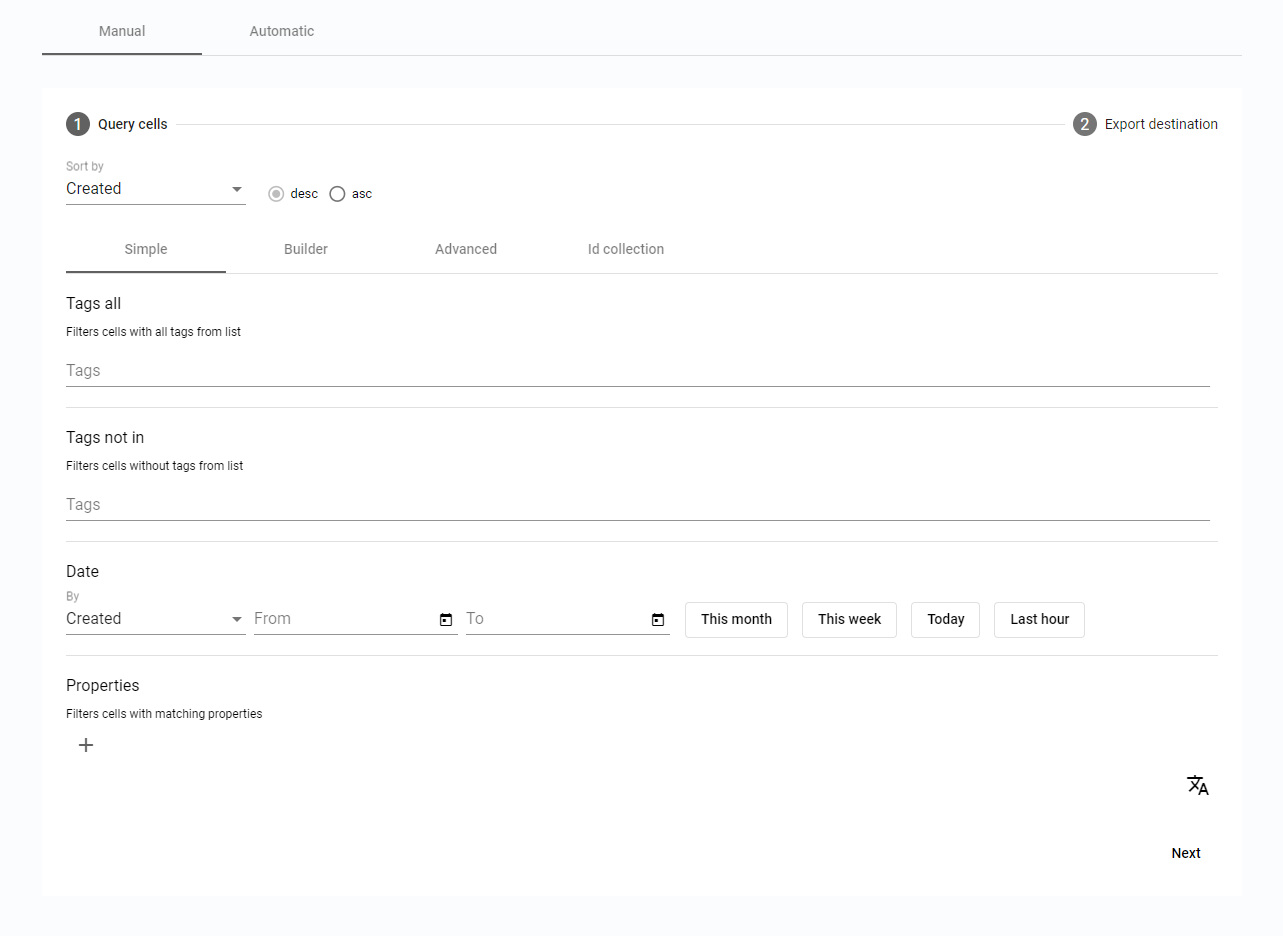
The Manual export is using standard Query cells form as the first step, and the Export destination form as the second step.
In the Query cells is possible to set up just a Simple query, or an Advanced one, use the query Builder or ID collection. If no query is created, all the Cells from the corresponding Workspace will be downloaded.
Figure 1. Manual export - Query cells
In the Export destination form is possible to pick the Storage option and set up the local disk as an export destination, or select Hive to export the Cells to another BeeYard Hive.
If there are already some existing Cells in the export destination, the new export can skip or overwrite them.
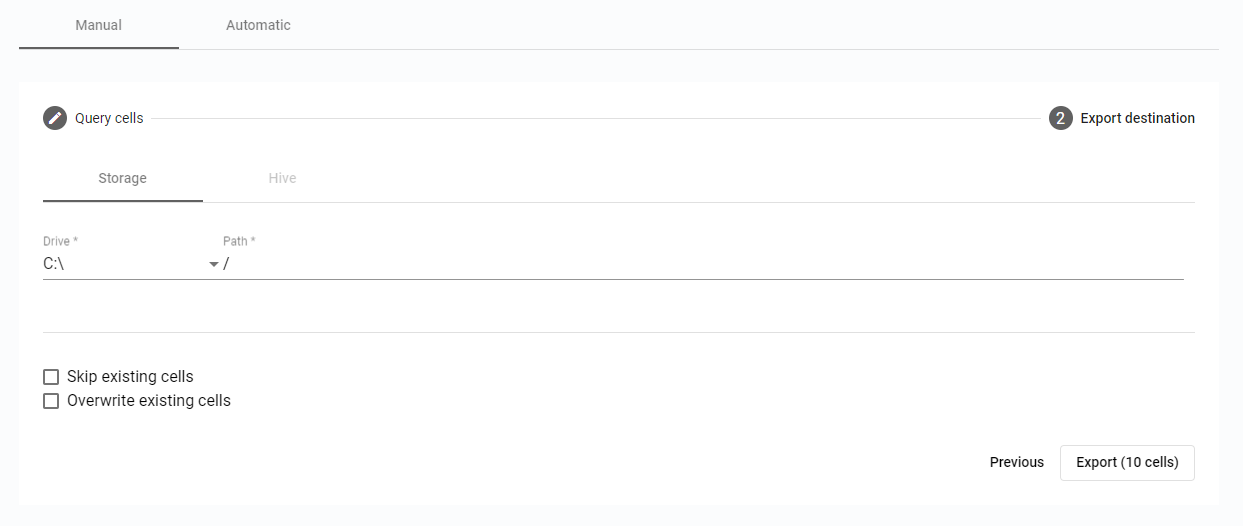
Figure 2. Manual export - Export destination
The export itself is triggered by the Export button, which even displays information about the number of Cells to export.
Automatic transfer configuration
Transfer history and Configuration is available in the Automatic mode.
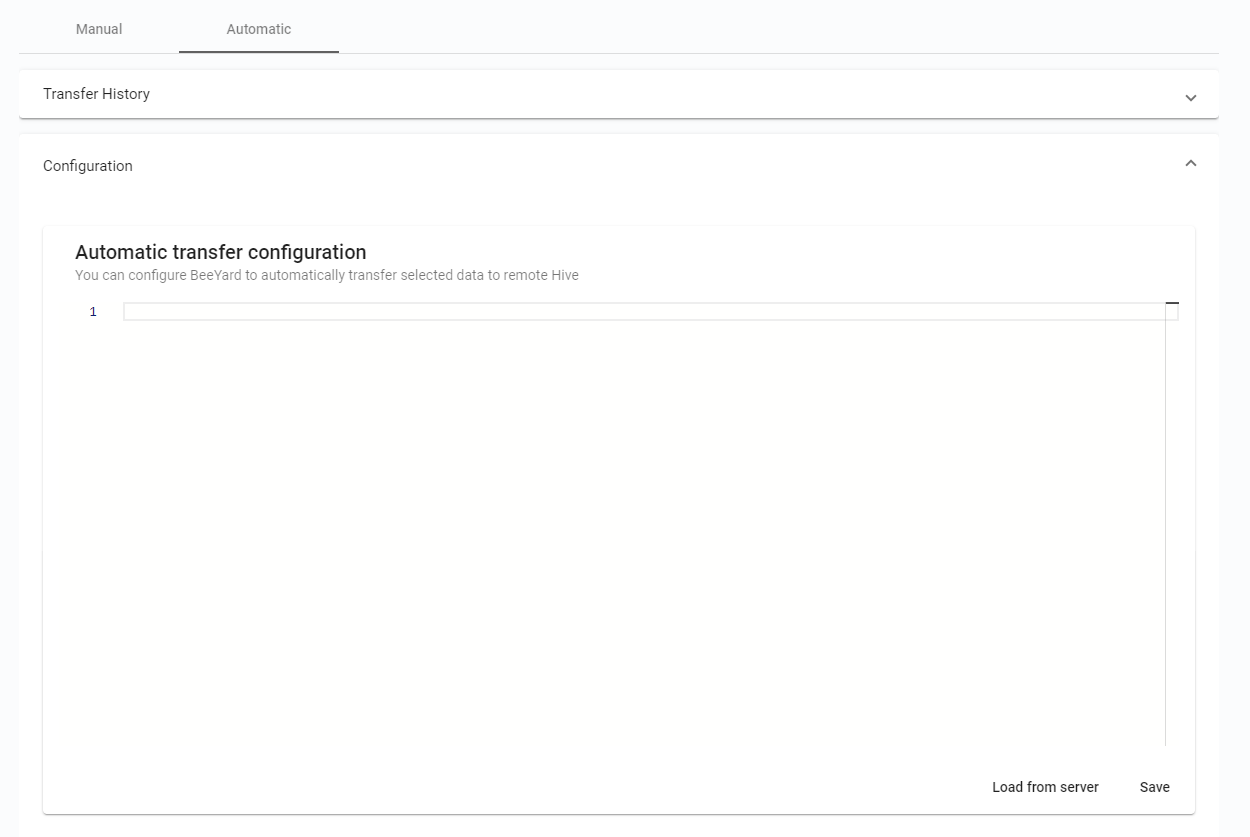
Figure 3. Automatic transfer configuration